
Every school’s network, and the paperwork behind it.
For district network and technology teams: schools, closets and switches on one record, with E-Rate evidence and certified disposal kept as you go.
Built for how districts work
Sites are schools, and the record follows each unit from receiving to disposal.
Every school, closet and switch
Schools are sites, closets are where the equipment lives, and every port says what it last reported and when.
E-Rate evidence, kept as you go
Funding cycles, site plans and an evidence workbook per funding year, on the same records as the moves and replacements that touch them.
No student data
Cenovel holds equipment, places and staff accounts. The one student-related value is an enrollment count per site, for the Category 2 budget.
Buy without a bid of your own
Through a reseller on a cooperative contract your district can already use, or a pilot under your direct purchasing limit.
Reads switches and stacks from Cisco, Juniper and Extreme over SSH and SNMPv3, other switches and Palo Alto Networks firewalls over SNMPv3, servers through Redfish, and access points directly or through Juniper Mist or ExtremeCloud IQ. Reading never changes a device; the few changes it can make are named and switched off until you choose them.
E-Rate evidence, kept as you go
Funding cycles, site plans and funded equipment stay on the same records as the moves and replacements that touch them, so the evidence is an export, not a project.
Funding year
Funding cycles and site plans for each funding year.
Funded equipment
Each funded unit records its funding source and year and the school whose allocation paid for it, separately from where it stands now.
Moves and replacements
They stay on the same records as the funding that paid for the unit.
Evidence workbook
Export one per funding year, with its generation time, a digest and the audit-chain status.
Kept for good
A record with funding, replacement, RMA or disposal history is never removed for good.
Open the E-Rate workspace in the demo Guide: Run an E-Rate cycle
Certified disposal, step by step
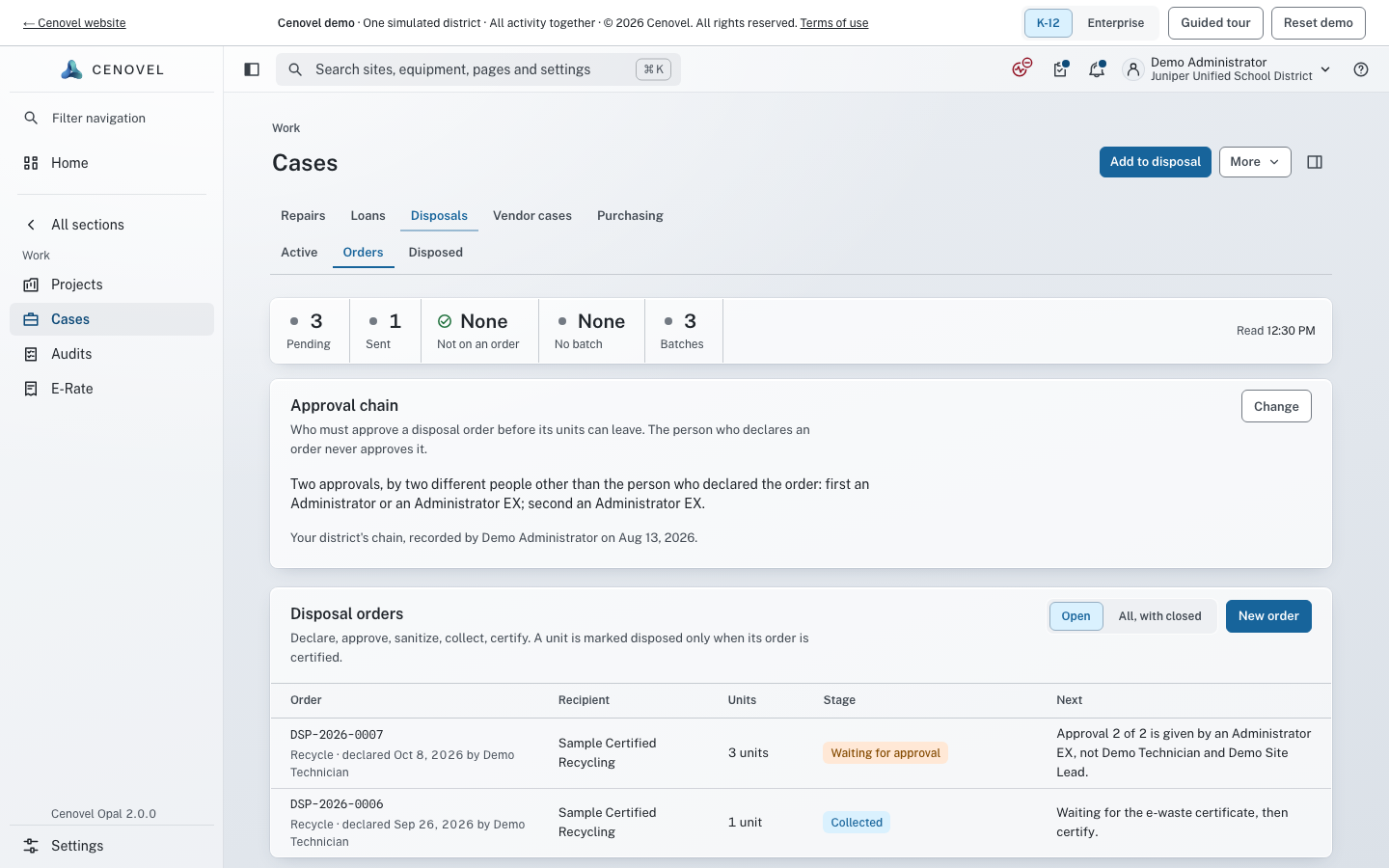
A unit is marked disposed only when its disposal order is certified with the recycler’s certificate.
Retired
The unit leaves service and keeps its own record and history.
Disposal order
It goes on a disposal order with the units leaving with it.
Approved
The order passes its approval chain.
Recycler’s certificate
The recycler’s certificate is attached to the order.
Disposed
Only then is the unit marked disposed.
What districts ask first
Straight answers for the technology director and the business office.
Does Cenovel hold student data?
No. It holds equipment, places and staff accounts. The one student-related value is an enrollment count per site, which the E-Rate Category 2 budget needs. Read the no student data statement.
Will you sign our data privacy agreement?
Yes. On the Student Data Privacy Consortium’s National Data Privacy Agreement, the schedule of student data (Exhibit B) is marked “None — No Student Data”.
Can we buy it without running an RFP?
Often, yes: through a reseller on a cooperative purchasing contract your district can already use, or with a pilot sized under your direct purchasing limit. Ask which contracts cover your state.
Does it file our E-Rate forms?
No. It keeps the funding, equipment and disposal records together and exports the evidence workbook. Filing stays with your E-Rate process.
Does it need internet access?
No. It runs on your vSphere and connects out only to the devices it reads and the services you configure. It sends no telemetry.
What does a pilot look like?
A guided start on your own appliance: installing it, setting up sign-in and the first device credentials, and importing your sites and switches from a spreadsheet. It is sized to fit under your direct purchasing limit.
See it with your own closets
A short call and the live demo, then a trial or a pilot on your own appliance.