
Monitoring and outages
Cenovel reads every switch, stack, access point and server on one schedule, opens outages with their evidence, and never changes a device by reading it.
Current outages, on screen
The Outages page in the demo, most severe first, then longest running.
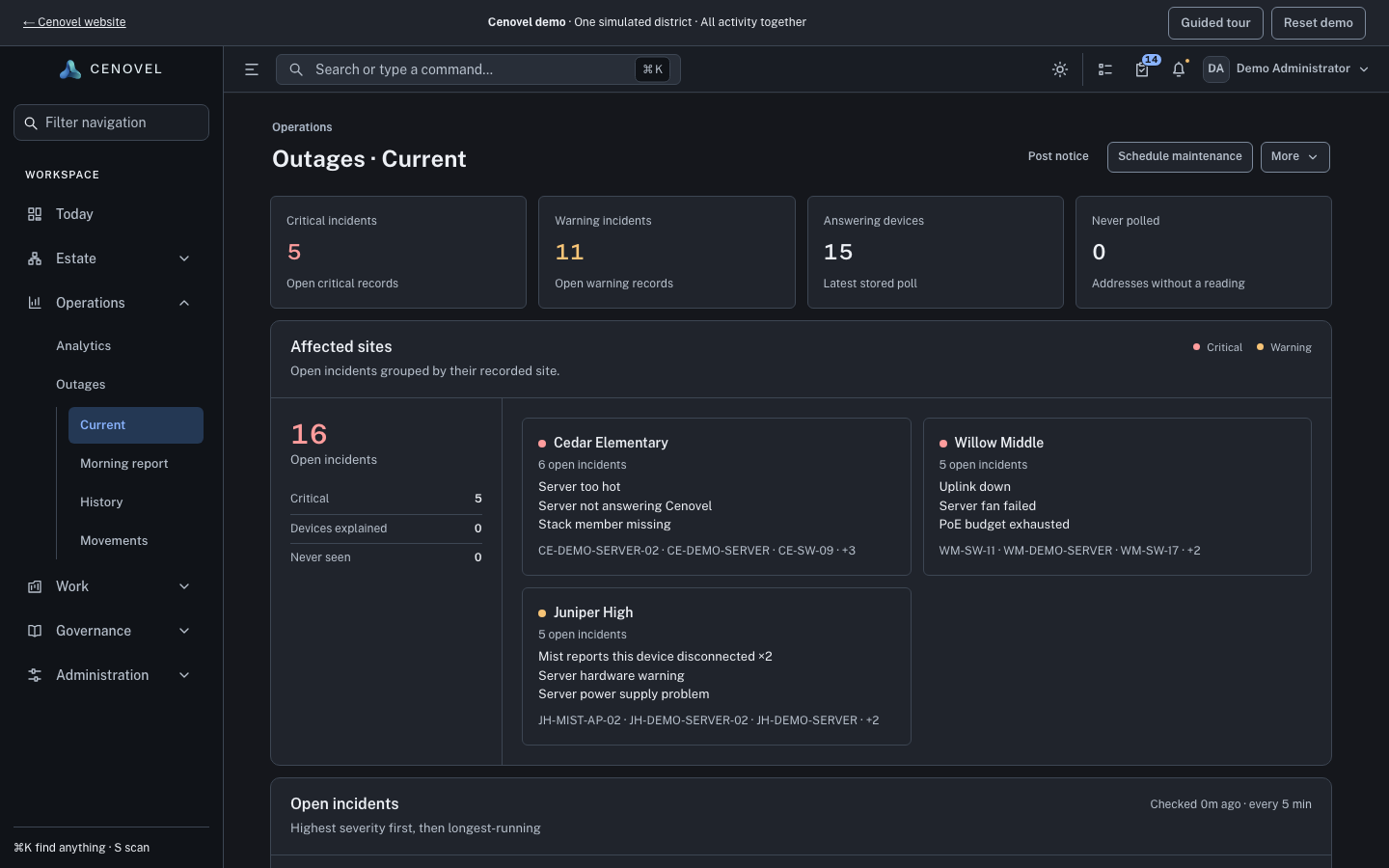
- Open outages by severity and by site, and when Cenovel last checked.
- An outage says what was observed, “not answering Cenovel”, not that the device failed.
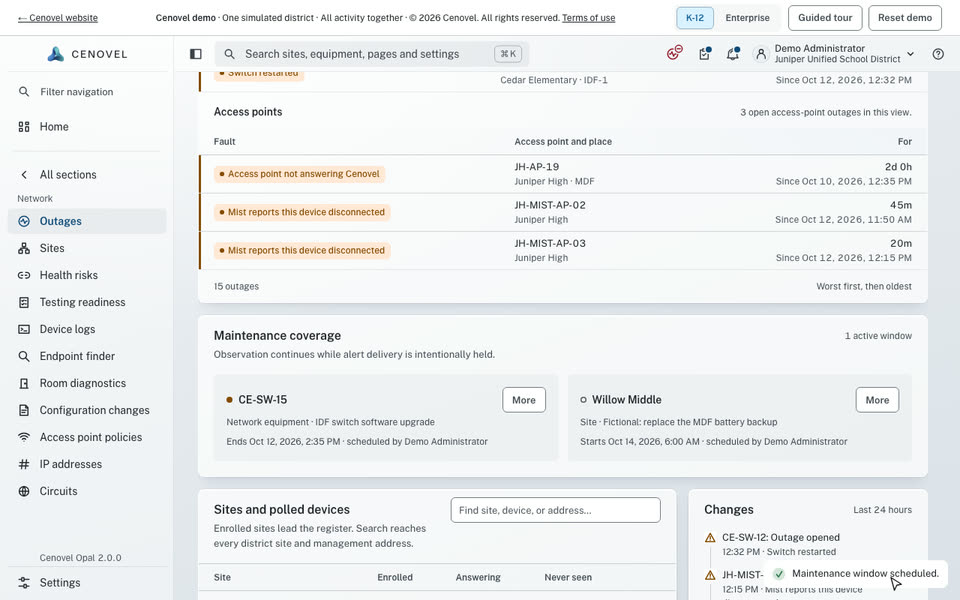
- How long each outage has been open, and since when.
- Schedule maintenance: quiet planned work without losing the record of it.
In detail
What it does, point by point, with the guide for each part.
How Cenovel reads
One schedule for every device it reads.
- Switches and routers: SSH and SNMPv3, with a fixed list of read-only show commands.
- Firewalls and other switches: SNMPv3, with the standard tables.
- Servers: Redfish on the management controller: health, power supplies, fans, temperature and storage.
- Access points: Directly, or through Juniper Mist or ExtremeCloud IQ.
- Priority sites: Devices are read every 2 minutes by default, and a silent device opens an outage after 4 minutes.
Outages with their evidence
Cenovel says what it observed, rather than guessing what happened.
- A device that stops answering reads “not answering Cenovel”: an observation, not proof the device failed. A successful read clears it.
- Detectors cover lost contact, a missing stack member, a failed part and capacity risks, each with the evidence that opened it.
- When reads fail together and nothing has answered, Cenovel may have lost its own path, so it holds device outages instead of reporting many failures at once.
- When Mist reports an access point disconnected, the outage is worded as Mist’s report.
If this fails
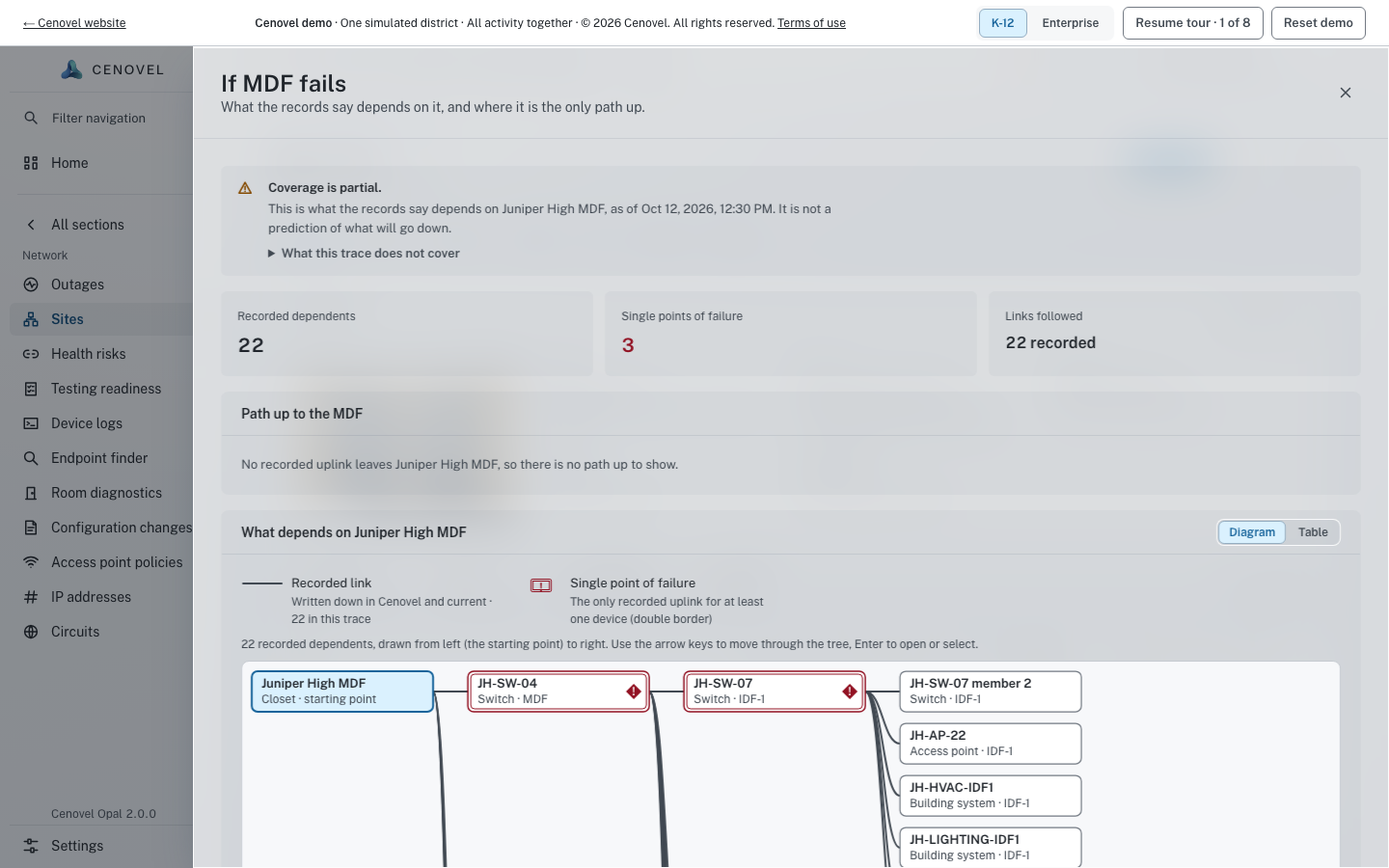
Know what a closet or switch takes with it before it goes.
- “If this fails” follows the recorded links and shows what depends on a closet or switch.
- It marks single points of failure: where a device is the only recorded path up.
- It reports what the records say, as of a time, not a prediction of what will go down.
Planned work and alerts
Quiet the alerts for planned work without losing the record of it.
- A maintenance window covers a site, closet, switch, access point, server or address. Covered outages leave Outages, Home and the morning report, and send no alert, but stay in the site’s history.
- Email and webhook channels each choose their families, a severity floor and quiet hours. Critical notices skip quiet hours.
- A morning report is written on a schedule and can be emailed to the people you choose.
Guide: Run a maintenance window Notifications and morning reports
Device reads and monitoring Outages and planned maintenance Supported devices
See it with your own network
A short call and the live demo, then a trial or a pilot on your own appliance.