
Reports and questions
Ask in words, read the answer pages, save and schedule views, and export exactly what your account may see.
Questions in words, on screen
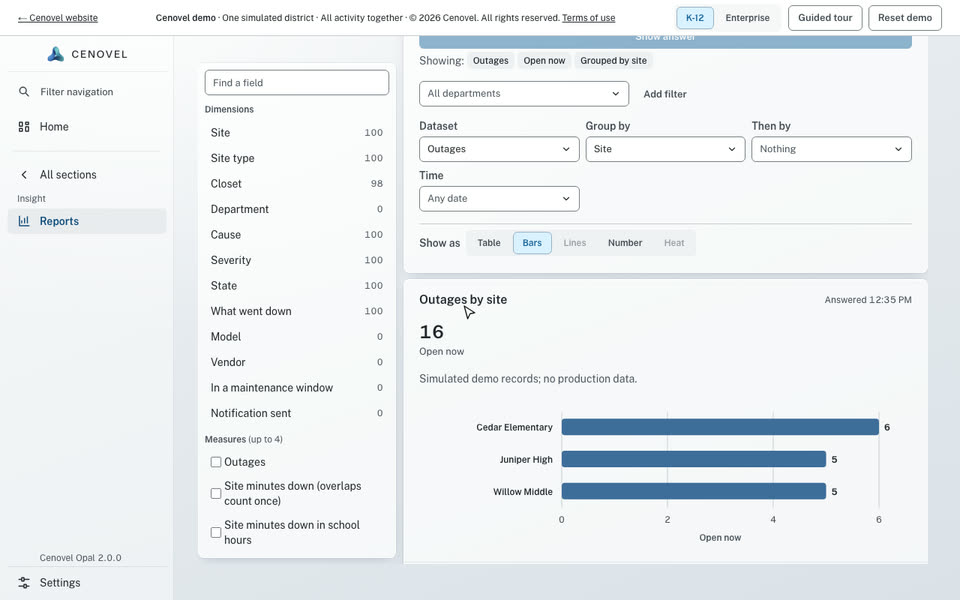
Type a question such as “open outages by site” and get an Explore view you can adjust and save.
- A fixed reader, not a language model: the same words always give the same view, and nothing leaves the appliance.
- Names are looked up only in what your account may see, and a word it can’t place is listed as not understood rather than guessed.
- Reports, Explore and saved views share one query engine, with department scope enforced by the server.
In detail
What it does, point by point, with the guide for each part.
Answers, ready to read
Five pages that answer the questions people ask most, each built from the same engine.
- Now: What changed today or this week, against the period before.
- Reliability: Outages, site minutes down and mean time to recover, with the worst sites.
- Owned: What you own, and the records missing a serial, tag, model or place.
- Replace by year: Units due for replacement by fiscal year, with the cost to replace.
- Work trends: Work opened and closed, and how long it took.
Saved, shared and exported
Keep a view, send it on a schedule, or take the rows with you.
- Save any view. An Administrator EX can share a view or schedule it, and a scheduled report runs with the owner’s current access.
- Export a workbook or a CSV package of the records your account may export; restricted records are left out, and the file says so.
- Export the audit trail as an evidence file with a SHA-256 digest; the export refuses to run while the chain does not verify.
Questions in words Import and export inventory Audit history and evidence
See it with your own network
A short call and the live demo, then a trial or a pilot on your own appliance.