
Questions in words
How Cenovel turns a typed question into an Explore view, and what it will not guess.
ConceptReviewed against the application source on 3 October 2026
A fixed reader, not a language model
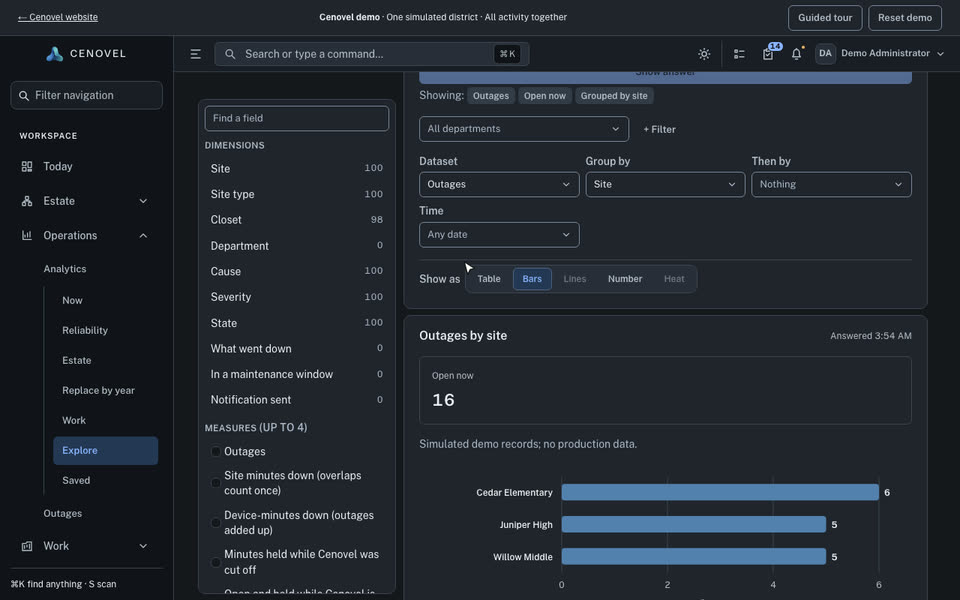
Answers and Explore accept a question typed in words. Cenovel reads it with a fixed, deterministic reader: the same words always give the same view, nothing is learned, and nothing leaves the appliance. The result is an ordinary Explore view you can adjust and save.
- Names (sites, models, departments) are looked up only in the lists you are allowed to see, so another department’s names never appear.
- “Last year” means the district fiscal year, and Cenovel says so.
- A word it cannot place is listed as not understood rather than guessed.
Try it
Type a question, or choose an example.
This is the console’s own reader running in your browser, with the demo’s three schools as the place names. It shows how the question is read; the demo’s Explore page shows the answer.
One engine behind Answers, Explore and Saved
Analytics uses one query engine across Answers, Explore and Saved. Department scope and page permissions are enforced by the server. Only Administrator EX can share or schedule views.
Describes the release being prepared for deployment. Check the behavior on your installed release.