
Closet operations
Before you drive out, one screen answers: can I get in, what is wrong there, and what should I bring?
A closet before the visit, on screen
The closet page in the demo: the room, the rack and what changed.
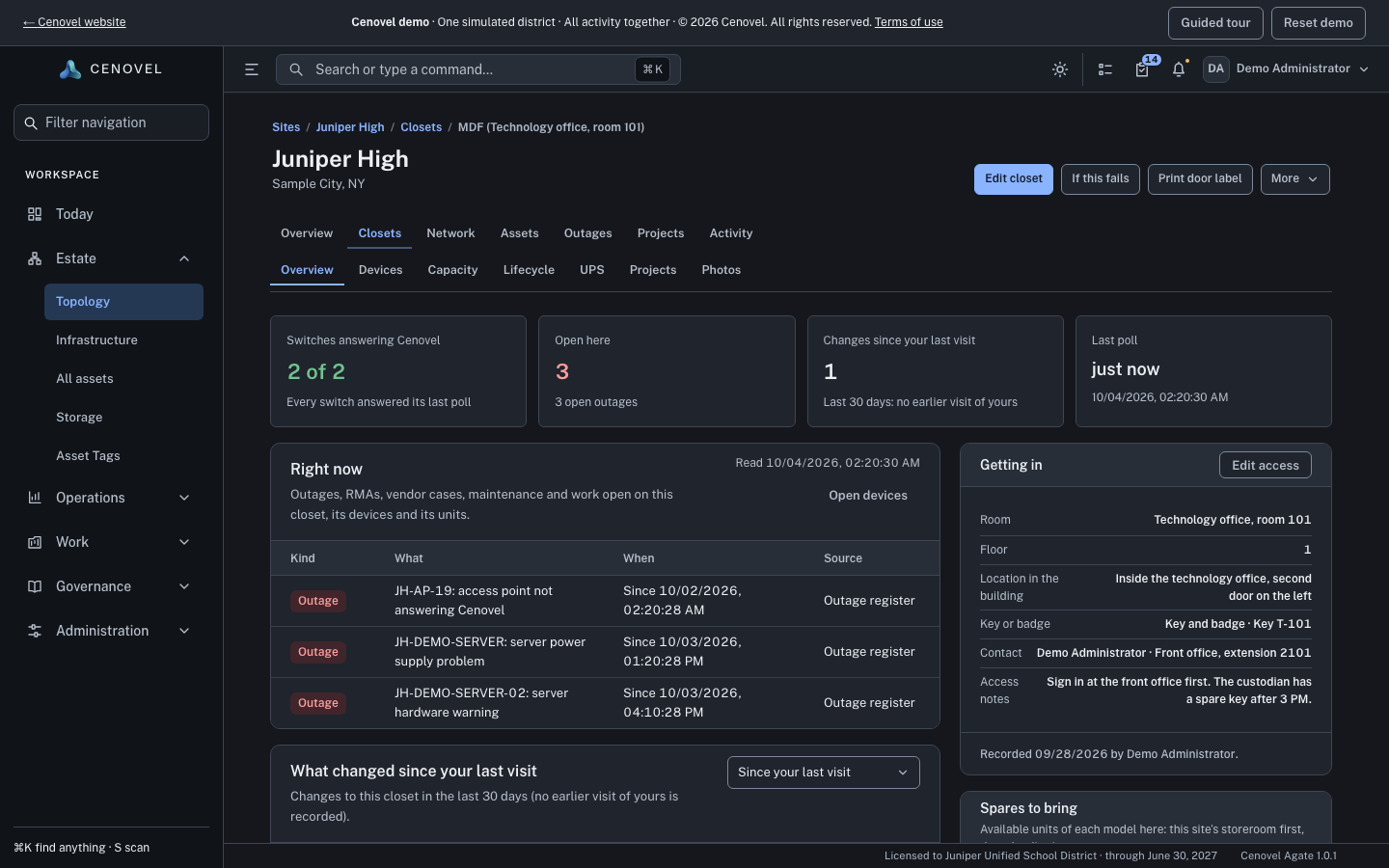
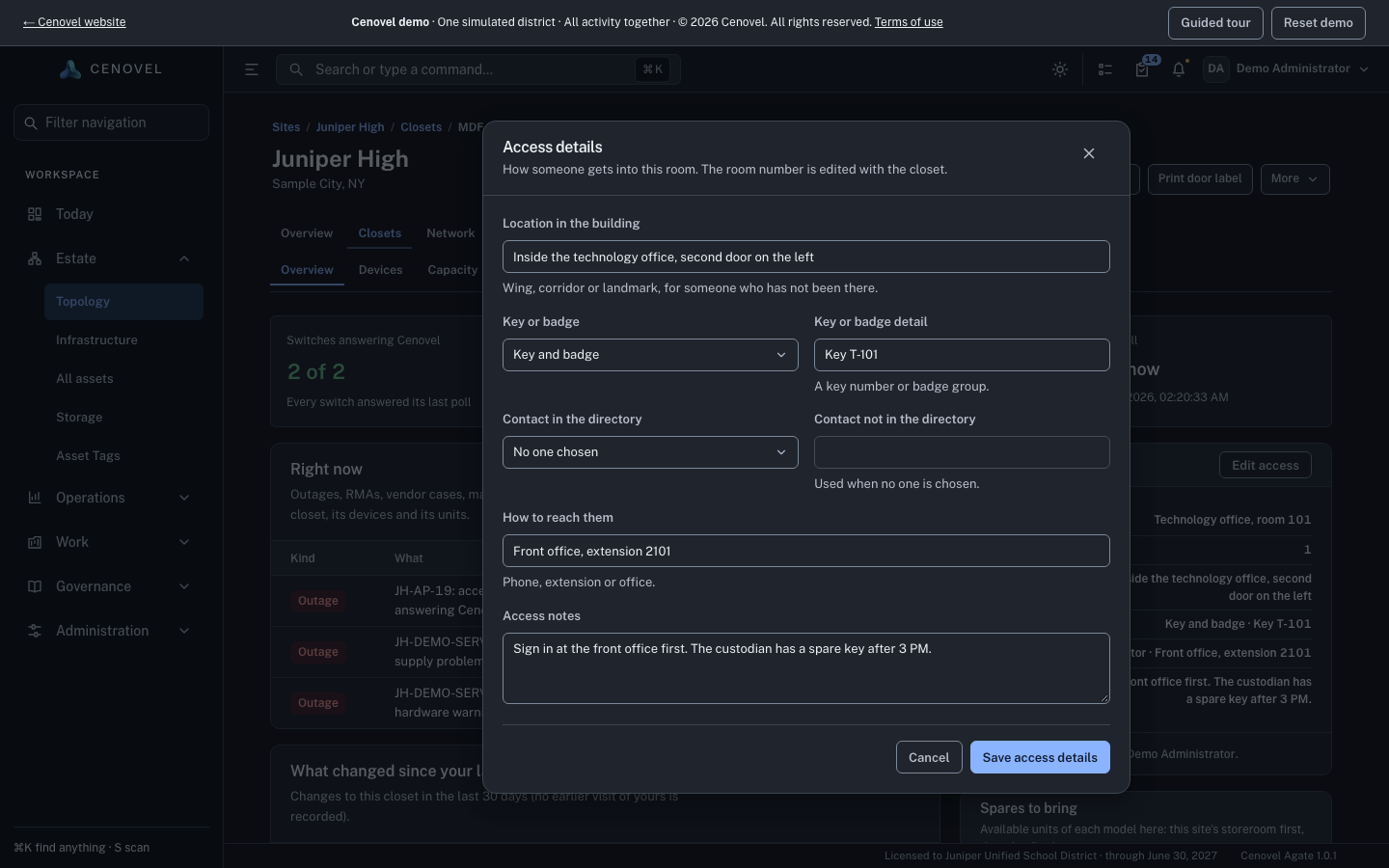
- Getting in: the room, the key or badge and who to call.
- Switches answering, open outages, PoE left and free ports.
- Every unit in the room, and whether it is answering Cenovel.
- What changed since your last visit.
In detail
What it does, point by point, with the guide for each part.
Right now, and what changed
Everything open in the room, before anyone drives out.
- Right now lists what is open in the room: outages, RMA and vendor cases, maintenance windows and projects.
- What changed shows the changes since your last visit.
- Spares to bring names the nearest storeroom with units of each model in the room.
Getting in
The room, the key and the person to call.
- Getting in holds the room, the key or badge and a contact.
- A detail nobody recorded reads “Not recorded”, never a guess.
Room to grow
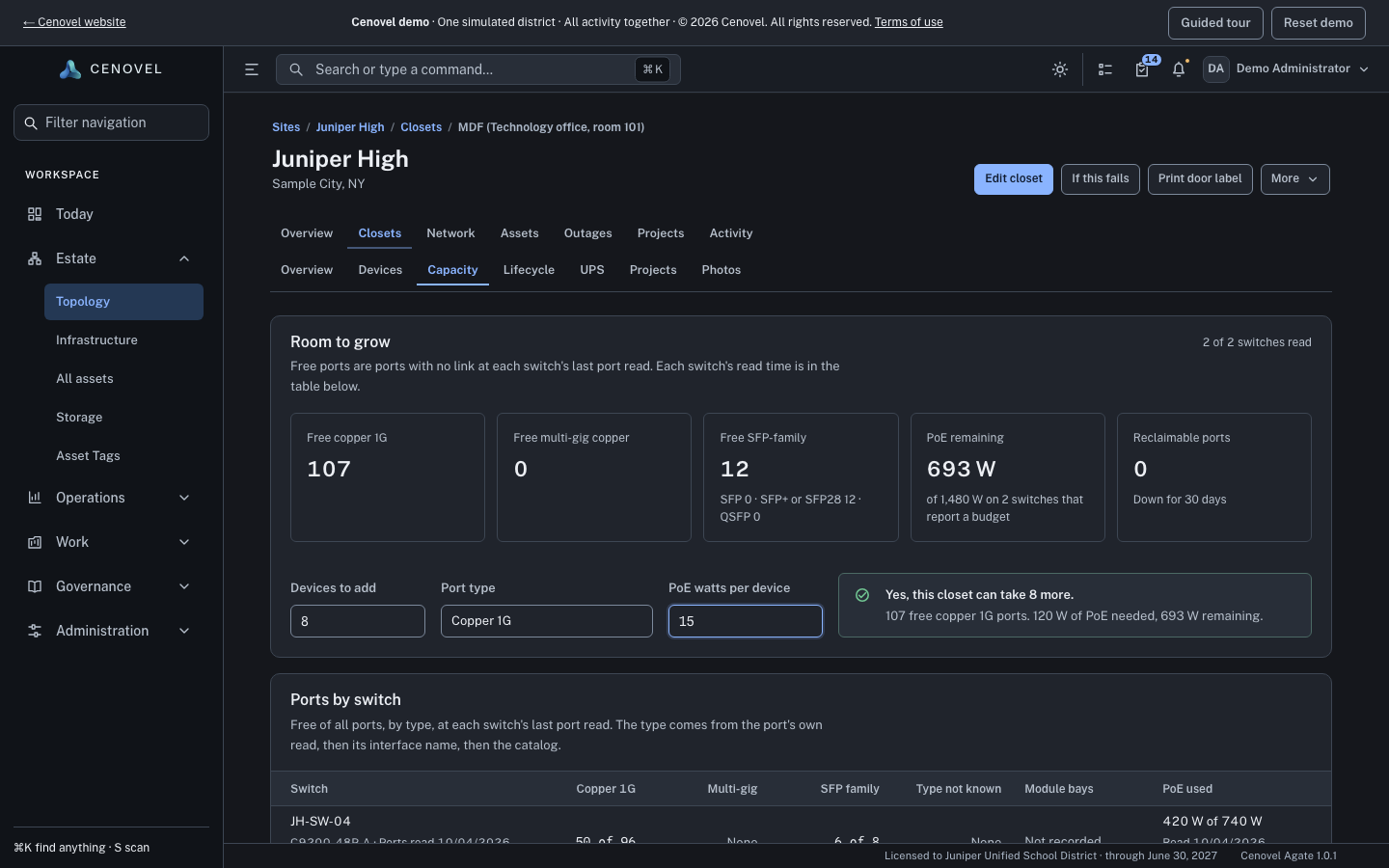
Can this closet take eight more cameras, and is there power for them?
- Free copper, multi-gig and SFP-family ports, and PoE remaining against the budget, from each switch’s last port read.
- Enter the devices to add and their PoE watts, and read the answer: yes, or not with what was read.
- Reclaimable ports: down on every daily read for the last 30 days and still down, so you can free them up.
- A switch that was not read is named and left out, so nothing unread is counted as free.
Plan a closet visit Check a closet’s capacity Read a closet’s lifecycle
See it with your own network
A short call and the live demo, then a trial or a pilot on your own appliance.