
Read a closet’s lifecycle
See what in a closet is aging out, what is still covered, which software is approved and what is already planned, unit by unit.
GuideReviewed against the application source on 3 October 2026
The question
What in this closet is aging out, what is still covered, and what is already planned? Open the closet and choose Lifecycle. One table lists every unit in the room, including each stack member, and the panel head says how many units and the day the table is as of.
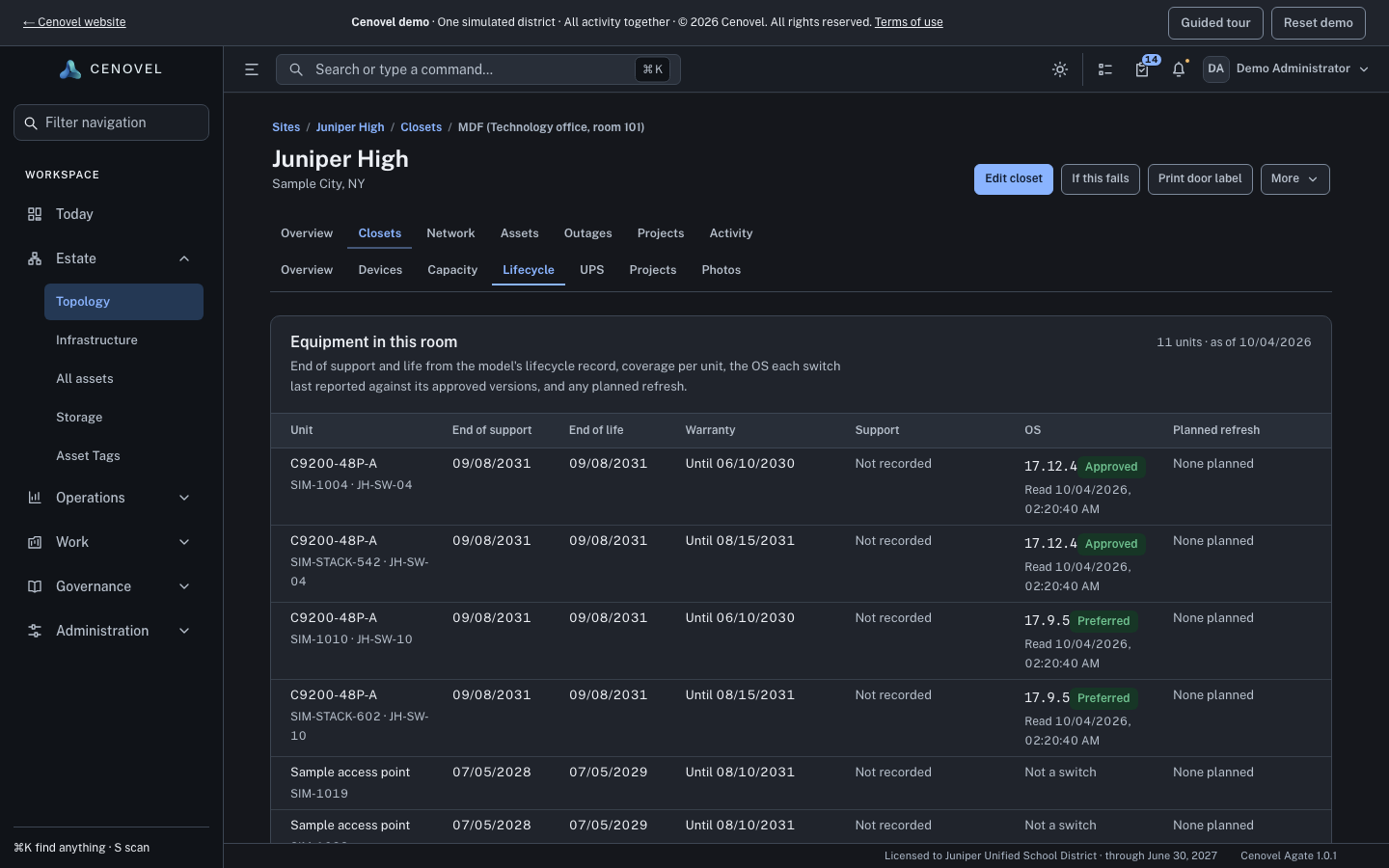
Read each column
- Unit
- The model, with the serial and the switch it belongs to.
- End of support and End of life
- From the model’s lifecycle record. A date that has passed reads “Passed” above it.
- Warranty and Support
- Coverage for that unit: covered until a date, ended on a date, “No warranty” or “Not covered”.
- OS
- The version each switch last reported, against the approved versions: Preferred, Approved, Not approved, Below minimum or Blocked version. Units that are not switches read “Not a switch”.
- Planned refresh
- A plan line that replaces or removes the unit, or “None planned”.
What each state means
| What you see | What it means |
|---|---|
| Not recorded | Nobody has recorded that fact for the unit or its model. It is not the same as not covered. |
| Not read | The switch has not reported its software version yet. |
| No approved versions recorded | The switch reported a version, but no approved versions are recorded for its model, so it cannot be judged. |
| Couldn’t read | Cenovel could not read the coverage records for that unit. Other rows are unaffected. |
| Not shown to you | Your account cannot see lifecycle records. Ask an administrator for the Lifecycles page. |
What else is planned for the room
Below the table, Planned for this room lists the plan lines and open projects that name this closet, each with its due date. “Nothing else planned” means no other plan line or project names it.
The same lifecycle facts appear in the Lifecycle card on each switch page, and that card links back here with Open the closet’s lifecycle.
Read the lifecycle of the demo’s MDF at Juniper High.
Open Lifecycle in the demoSee also: E-Rate funding and retention · Work with a switch or stack
Describes the release being prepared for deployment. Check the behavior on your installed release.