
Inventory and lifecycle
What you own, what is aging out and where every spare is: lifecycle dates, replacement in place, storerooms, counts and purchasing, on the same records as the closets.
A closet’s lifecycle, on screen
Every unit in one room, with its dates and its software.
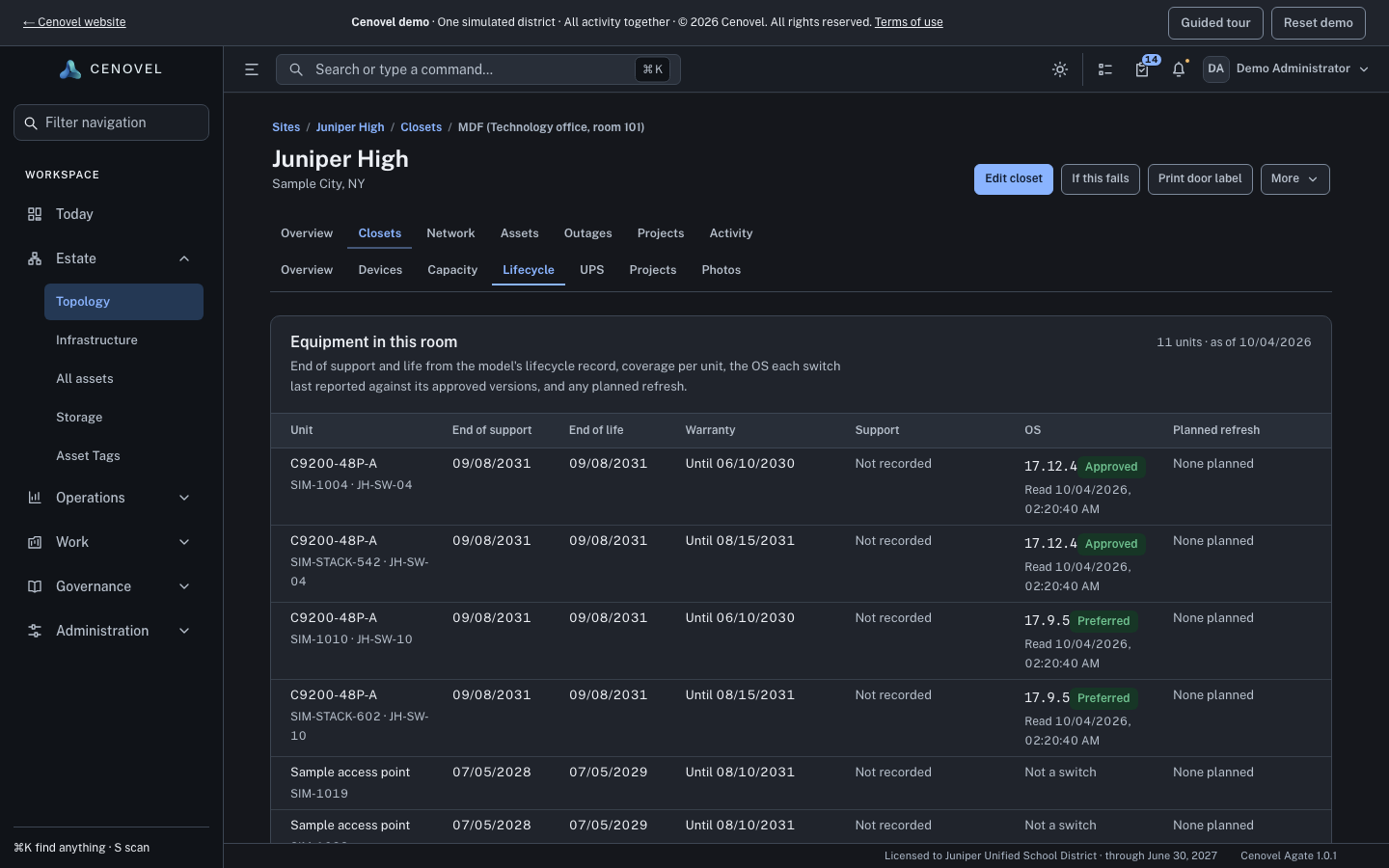
- End of support and end of life, from the model’s lifecycle record.
- The warranty of each unit, stack members included.
- The software each switch last reported, against its approved versions.
- A date nobody recorded reads “Not recorded”, never a guess.
In detail
What it does, point by point, with the guide for each part.
Lifecycle for every unit
What is aging out, what is still covered and what is already planned.
- One table per closet lists end of support, warranty and software for each unit, including each stack member.
- Replace by year shows the units due in each fiscal year, by site and category, with the cost from the model prices you record. A unit with no dates counts as unknown, never as not due.
Replace in place
Swap a failed unit and keep everything that depends on its position.
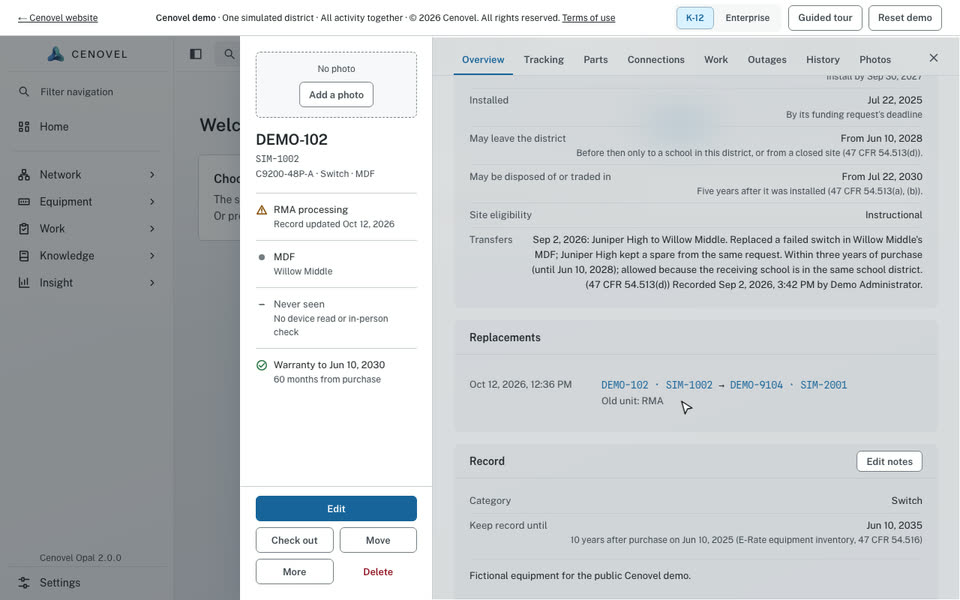
- Replace a failed switch and the position keeps its name, management address, ports and links; only the physical unit changes.
- The unit that leaves keeps its own record and history, and goes to a storeroom as a spare, to the vendor as an RMA, or to disposal.
- A unit is marked disposed only when its disposal order is certified with the recycler’s certificate.
Storerooms, counts and purchasing
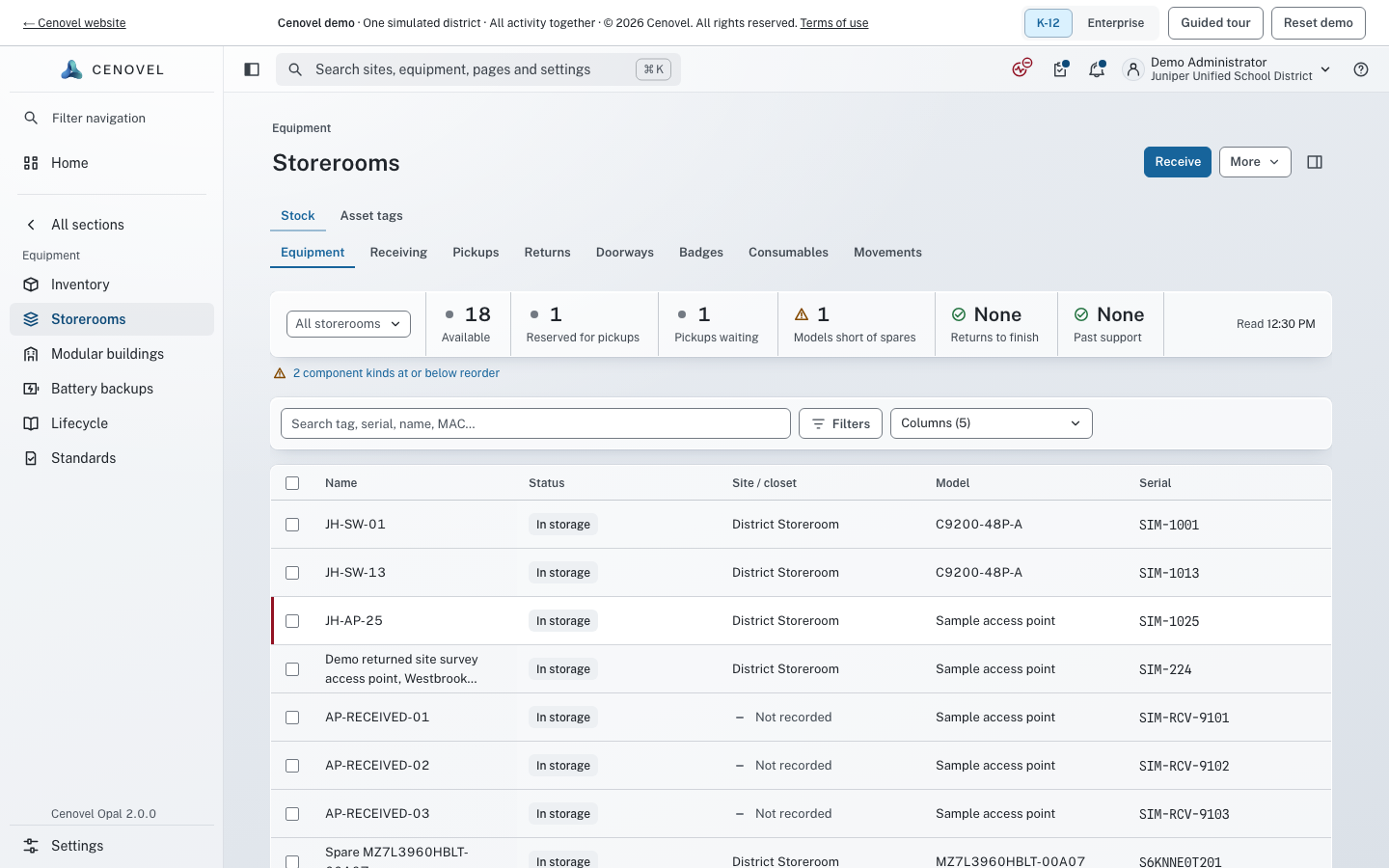
Spares, stock levels and the paperwork behind them, on the same record as the equipment in the closets.
- Storerooms with minimum stock levels, receiving, returns and pickups.
- Physical counts with the evidence of what was scanned and when.
- Purchase orders with their funding and receipts.
Custody and approval
Who has it, and whether it may connect.
- Check equipment out and in, hand it over, or move it with a note that stays in its history.
- “Approved to connect” is a dated answer, with who gave it: Approved, Not approved or Not recorded.
Inventory and the asset lifecycle Status states Audit history and evidence
See it with your own network
A short call and the live demo, then a trial or a pilot on your own appliance.